
What's New
The AI Listing Optimizer and Photo Reordering Wizard simplify one of the most time-consuming parts of listing management. Instead of manually updating listing content and rearranging photos, you can now optimize everything in a guided workflow with just a few clicks.
New capabilities include:
- Smarter Full Report – Selecting Full Report now opens directly to the title, description, and photo optimization tools.
- AI Photo Reordering Wizard – Automatically reorganize listing photos to showcase your property more effectively.
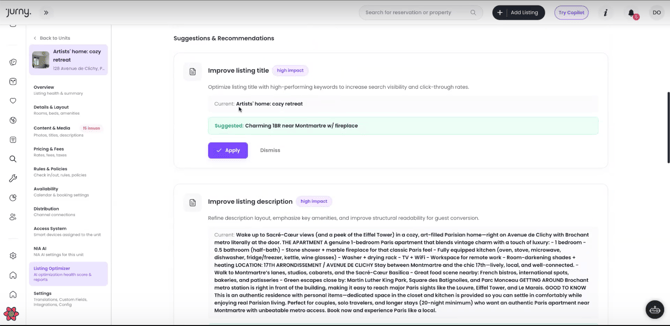
- AI Content Generation – Instantly generate optimized listing titles and descriptions.
- Built-in Language Translation – Translate titles and descriptions into supported languages with a single click.
- Bulk Optimization – Optimize multiple listings simultaneously, including photo order, translations, and channel-specific listing content for Airbnb, VRBO, and other supported platforms.
Along with these new optimization features, we've also given the Listings page a fresh redesign! The updated interface is cleaner, more intuitive, and makes it easier to manage and optimize your listings, helping you navigate your properties more efficiently.
Open the Listing Optimizer
- Log in to your Jurny account.
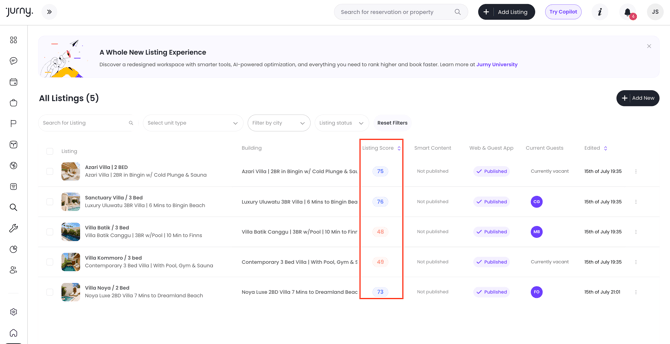
- Navigate to the Listings tab.
- Review the Listing Score displayed for each listing to get a quick overview of its optimization status. This allows you to easily identify which listings may need improvement and prioritize the ones you want to optimize first.
Launch the Full Report
- Locate the listing you'd like to optimize.
- Click Full Report.
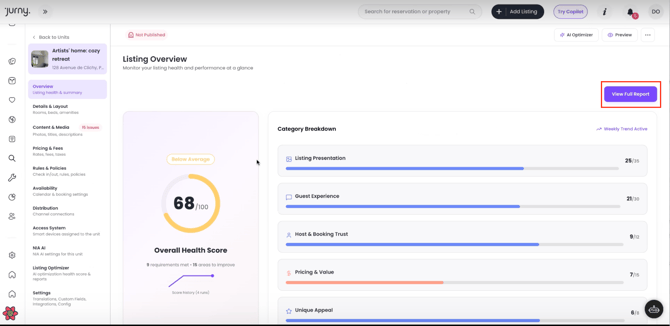
- The report opens directly to the optimization workspace where you can edit titles, descriptions, and reorder photos in one location.
Reorder Photos with the AI Wizard
- From the Full Report, click Reorder Photos.
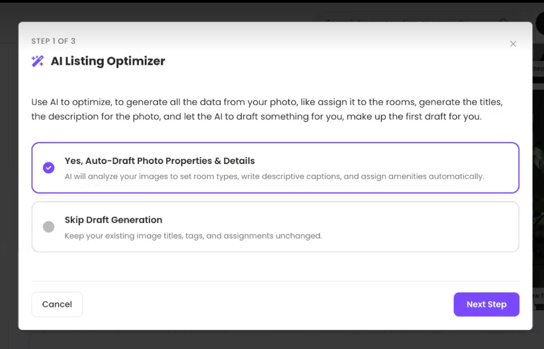
- The AI Photo Reordering Wizard opens directly over your listing photos.
- Follow the guided workflow to begin optimizing your photo order. You'll have the option to review the changes before applying them in your listing.
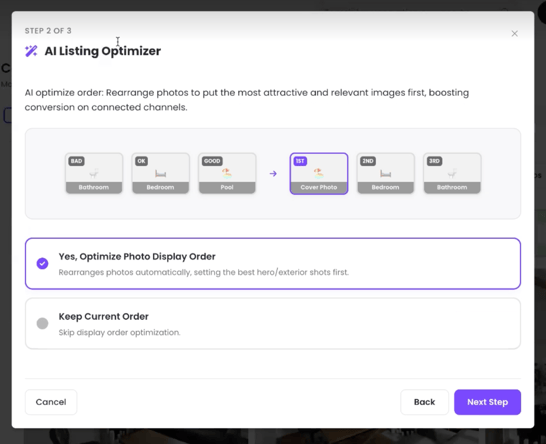
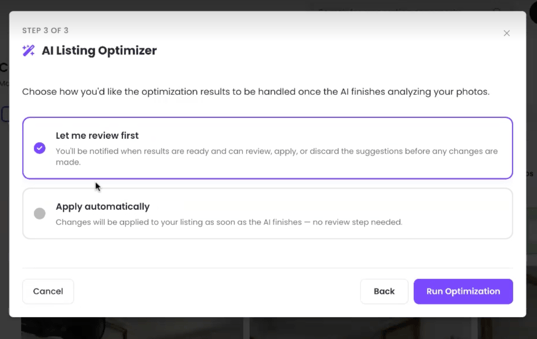
Review or Automatically Apply Your Photo Order
- Choose whether you'd like to review the changes before applying them or automatically apply them to your listing.
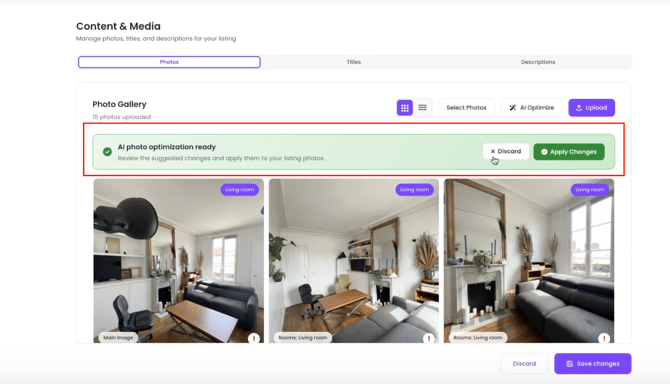
- If you choose to review the changes first, once it's ready, you can then select if you want to apply the changes.
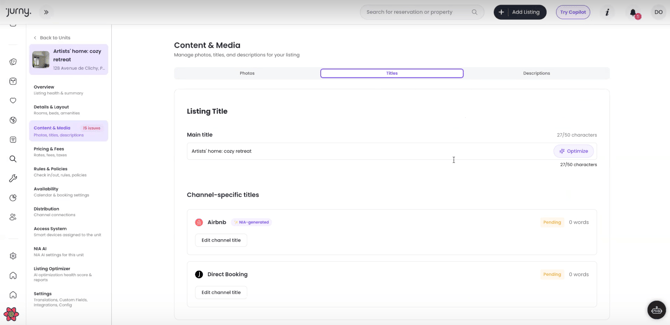
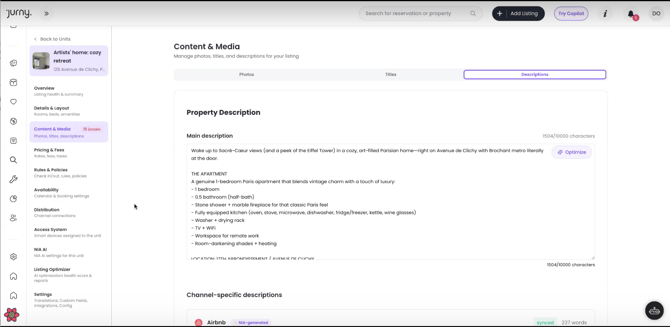
Generate AI Titles & Descriptions
- Use the tabs at the top of the page to switch between optimizing titles and descriptions. You can generate content for an individual OTA channel or apply the same optimized content across all connected OTA channels, depending on your preference.
Optimize Multiple Listings
Save even more time by optimizing several listings simultaneously.
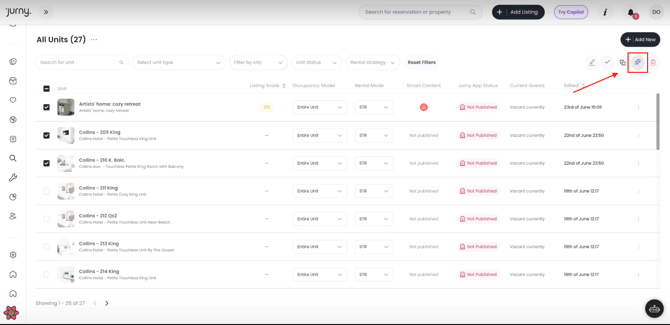
- Return to the Listings Overview page.
- Select the listings you'd like to optimize.
- Click the AI Optimize button on the upper right side.
- Select all the information you want to optimize and click Start Optimization.
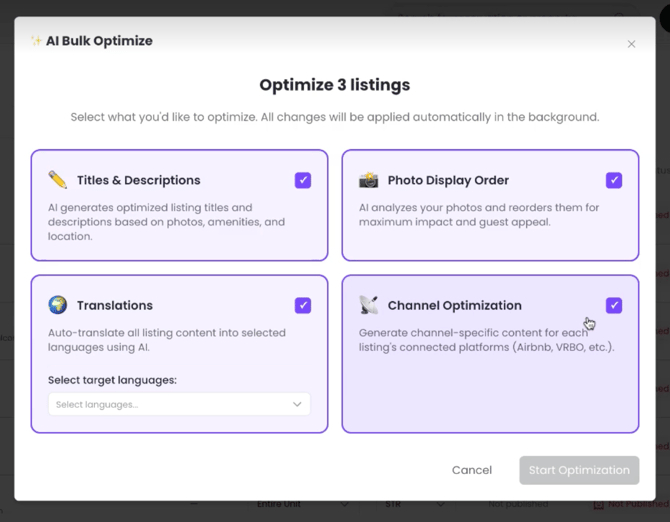
Jurny will automatically:
- Reorder photos across all selected listings.
- Apply your selected language translations.
- Optimize titles and descriptions according to each channel's specific requirements, including Airbnb, VRBO, and other supported platforms.
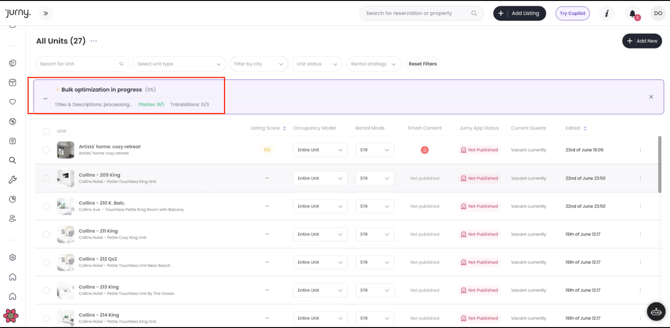
After Optimization
Once the optimization process is complete, your listings will include:
- AI-generated, optimized titles and descriptions.
- Photos reordered to improve guest appeal.
- Multi-language listing content (if selected).
- Channel-specific optimizations tailored to each supported booking platform.
New Integrations Tab
Managing your third-party integrations just got easier! We've introduced a new Integrations tab within each listing, giving you real-time visibility into your connected services, including your pricing, property care, and guest screening software.
With the new Integrations tab, you can:
- View the sync status of each connected integration at a glance.
- See if a connection is synced successfully or if it requires attention.
- Get better visibility into integration errors when they occur.
- Re-sync supported integrations with a single click—no need to contact our support team for most sync-related issues.
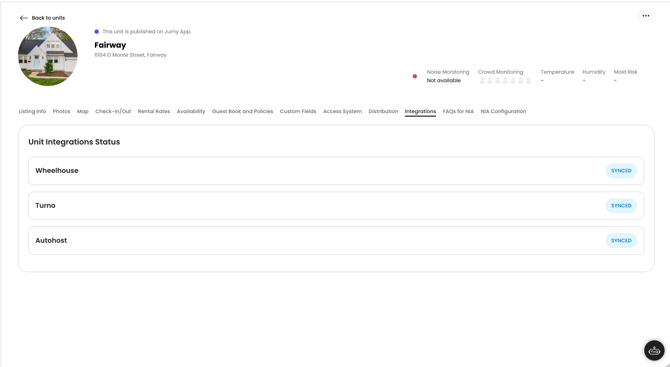
This update gives you more control over your connected tools and makes it faster and easier to resolve integration issues on your own, helping keep your operations running smoothly.
You're All Set! 🎉
Your listings have now been enhanced with optimized titles, improved descriptions, smarter photo ordering, and optional multilingual support—all while significantly reducing the time spent updating each listing manually.
If you need help or have any questions, don’t hesitate to reach out. Contact your Customer Success Manager or our support team at support.jurny.com – we’re happy to assist.