
Quick Navigation Index
To easily navigate through this guide, click on any of the sections below to jump directly to the information you need:
Before You Get Started
Before connecting Breezeway to Jurny, make sure that:
-
You have signed up for Breezeway directly
-
Your Breezeway account is active and paid
-
Your listings are already created in Jurny
Note:
Breezeway is not included with Jurny. You must manage billing and setup directly with Breezeway.
What You’ll Need
From your Breezeway account:
-
Reference Company ID
Jurny’s Breezeway integration credentials:
-
Breezeway Client ID
7rnokheaivdikf8ksz15om2s10wy3sx7 -
Breezeway Client Secret
omxxxoz0jy3ergv34a4jyoskolxa56x3
Step 1: Create the Breezeway Connection in Jurny
-
In Jurny, go to the left-hand navigation menu
-
Click Property Care Apps
-
Select Breezeway
-
Click Add Account
Fill in the following fields:
-
Account Name
(Internal name for your reference) -
Breezeway Client ID
7rnokheaivdikf8ksz15om2s10wy3sx7 -
Breezeway Client Secret
omxxxoz0jy3ergv34a4jyoskolxa56x3
Save the Changes
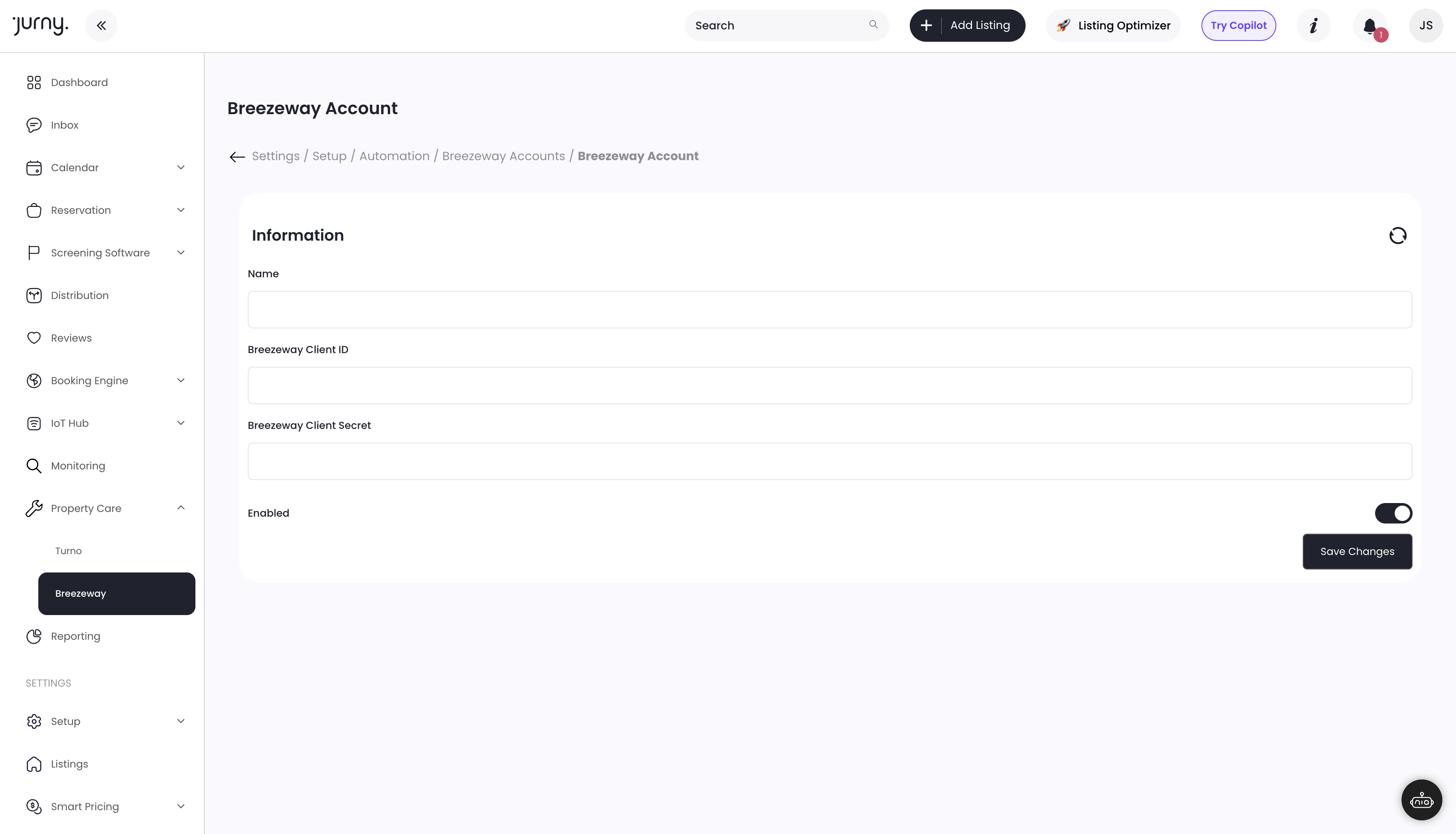
This establishes the platform-level connection between Jurny and Breezeway.
Step 2: Link Your Listings to Breezeway
To complete the integration, each listing must be linked using the Breezeway Reference Company ID.
-
Go to Settings → Listings
-
Select a listing
-
Navigate to Section #4
-
Locate the field labeled Reference Company ID (Breezeway)
-
Paste your Breezeway Reference Company ID
-
Save the listing

Repeat these steps for each listing you want synced with Breezeway.
Caution:
If the Reference Company ID is missing, the listing will not sync to Breezeway.
Sync Timing & Final Notes
-
Initial synchronization may take up to 24 hours
-
Once completed, listings, reservations, and operational data will sync automatically
-
No further action is required after setup
🎉 That’s it! Your Breezeway integration is now fully connected.
If you need help or have any questions, don’t hesitate to reach out.
Contact your Customer Success Manager or our support team at support.jurny.com – we’re happy to assist.